Reading with colleagues who don’t use the repository
You keep the docs in GitHub. Your colleagues read them in Docpane, with no GitHub account or know-how needed.
 Docpane
Document reader for teams
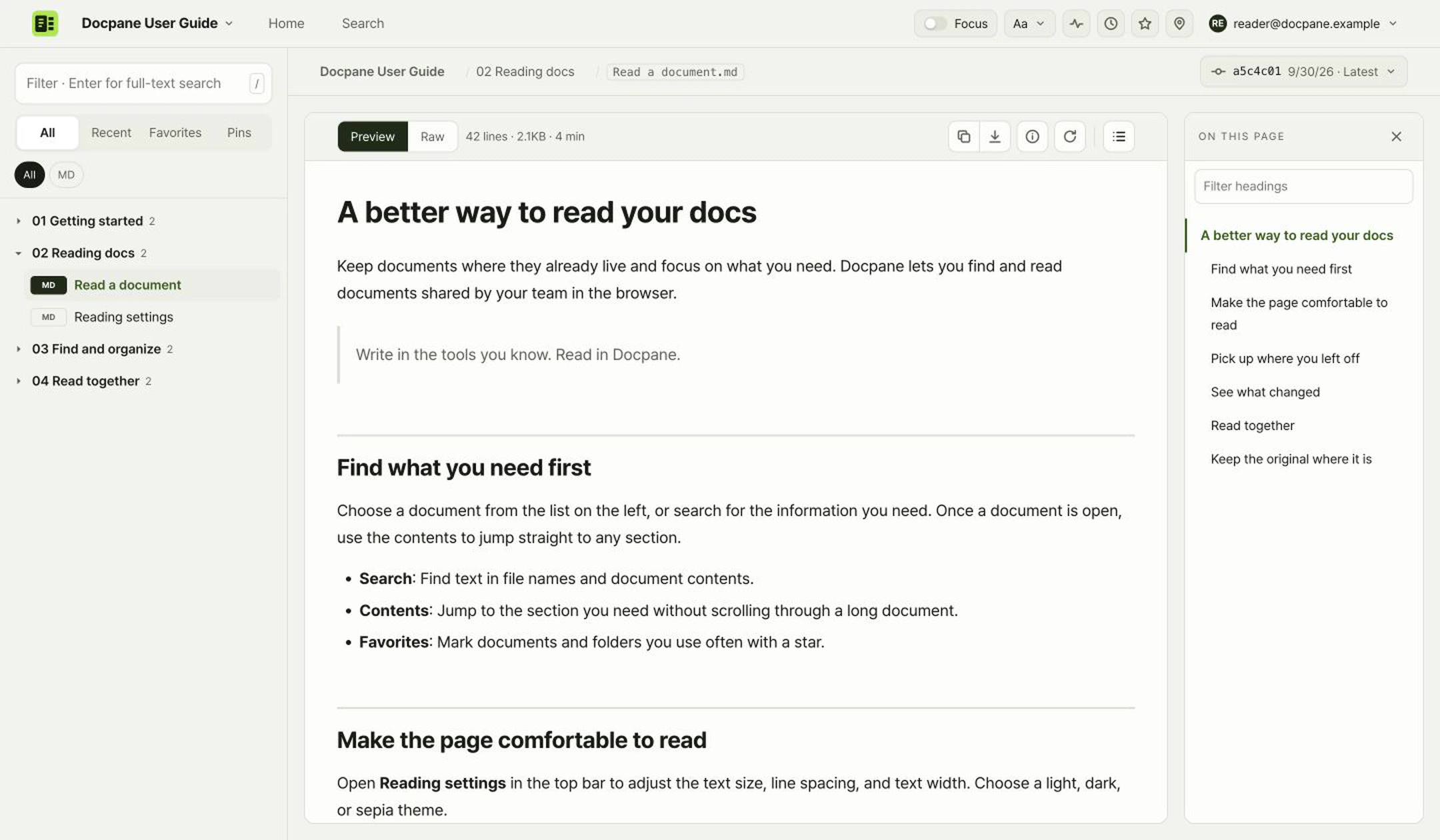
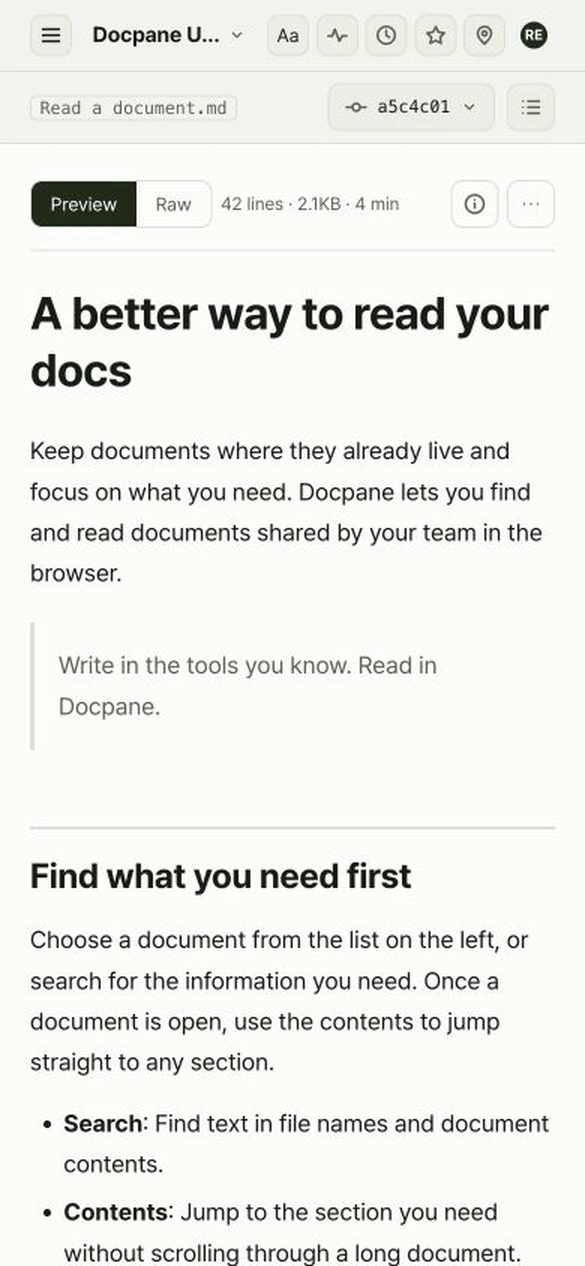
Find and read Markdown (.md), DOCX, and PDF docs from GitHub with your team, right in the browser.
GitHub is available today. Support for Google Drive and other sources is planned.
For teams whose colleagues or clients keep checking docs that live in a repository.
You keep the docs in GitHub. Your colleagues read them in Docpane, with no GitHub account or know-how needed.
Instead of resending files after every edit, invited members open the same URL and see the latest version.
Find and read meeting notes, design docs, and reports in the browser, on the move or right before a meeting.
Find the doc you need before a meeting, read it on the way, and come back to the right spot next time.
Search file names and text, and jump to any section from the contents. Full-text search works in file types with readable text.
Adjust text size, line spacing, text width, and theme. Open wide tables in their own zoomed view.
Reopen recently viewed docs and favorites. Pin a paragraph to jump straight back to it next time.
Spot updated docs, and compare earlier and current versions of GitHub docs side by side.
PPTX files show slide text, tables, images, and speaker notes in a reading view, and XLSX files show sheet tables. Original layouts and chart designs aren’t reproduced exactly. PDFs open in the built-in viewer, and scripts in HTML files don’t run.
Keep writing and managing docs in the tools you already use. Docpane focuses on helping your team find and read them.
Invite the people you read with to a library. To pass along a single document, use a share link that expires.
A library is a set of docs you read together. Invite or remove members library by library. Members sign in to Docpane and don’t need an account for the source repository.
When an owner allows it, signed-in members can create share links. Recipients can view that one document without signing in, as it was when the link was created. Links last from 1 hour to 7 days, and the creator or an owner can remove a link before it expires.
You grant the GitHub App read access to the repositories you choose. Docpane doesn’t modify your original documents.
Library owners can see a record of views, version comparisons, and downloads. Each entry includes the time, IP address, and the member account or share link used. Records that identify a person are kept for 13 months, then deleted.
Sign up with Google, then connect a GitHub repository. No need to move your docs or prepare a separate copy.
Sign up with Google, then install Docpane Reader on GitHub. Choose the repository, branch, and folder to show.
Enter someone’s email to create an invite link, then send it to them yourself. They open the link to sign up or sign in.
Share a doc’s URL with members. After the original changes, the same URL shows the latest version.
With “This computer” in Settings, you can open Markdown and text files. Their contents aren’t sent to our servers. They’re read only in that browser and aren’t shared with your team.
Connect a repository and invite the colleagues you read with.